
Support simple occupant interactions
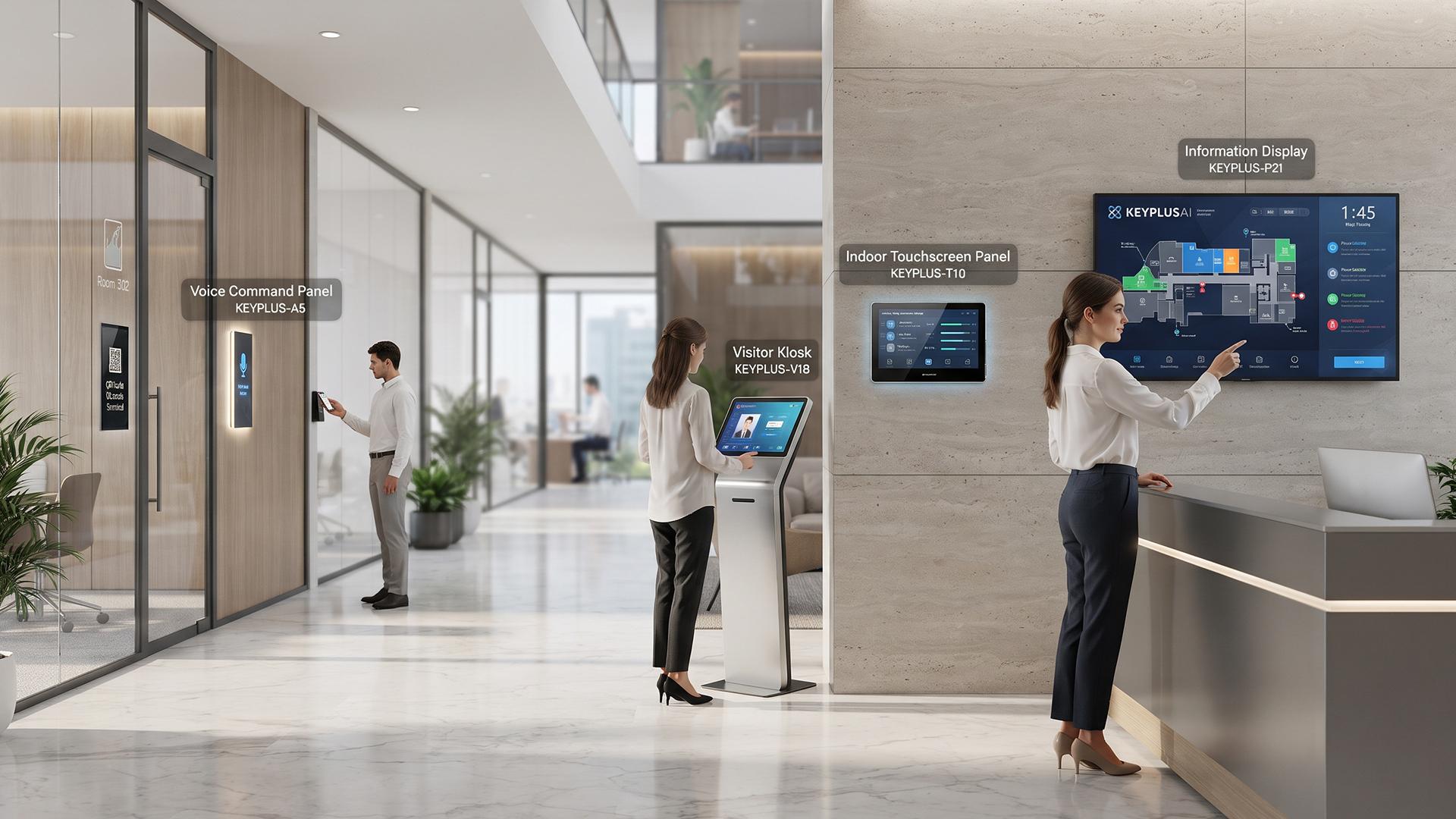
Personal and shared terminals provide access, room and space services with understandable temporary-permission information.
KEYPLUS · Sistemas
Da a cada persona una forma adecuada de usar el espacio conectado. KEYPLUS planifica interfaces móviles, web, de pared, quioscos, estaciones de trabajo y gestión en función del usuario, ubicación y tarea, en lugar de forzar a todos los usuarios a un panel de control saturado.
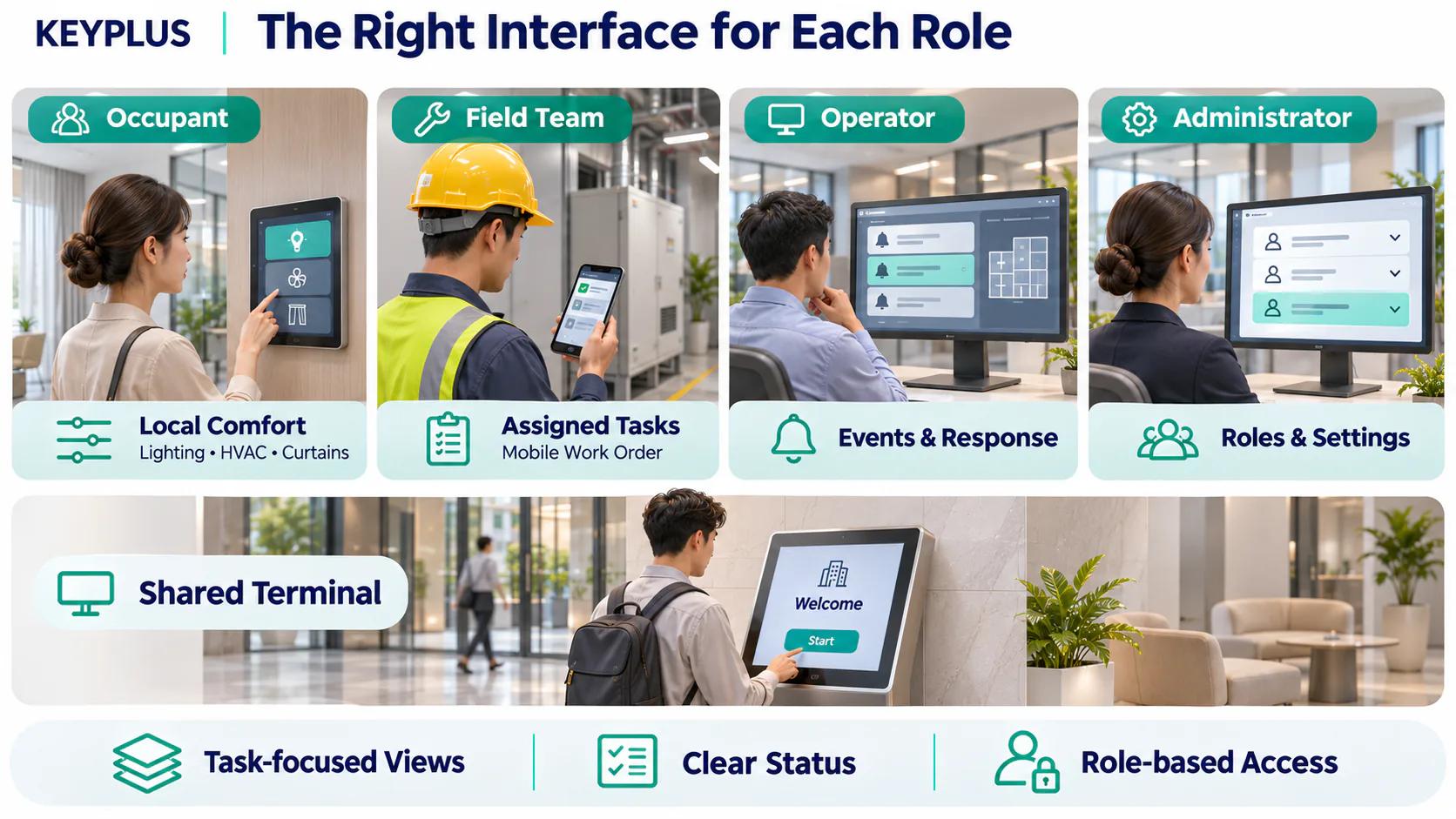
Guests, technicians, operators and managers have different goals. Task-focused interfaces give each role a suitable terminal and information depth, connecting simple interactions with the operational context behind them.
A wall panel, mobile interface and operator workstation meet different everyday needs. Access results, task context and management priorities sit at the depth appropriate to the user, rather than sharing one crowded view.
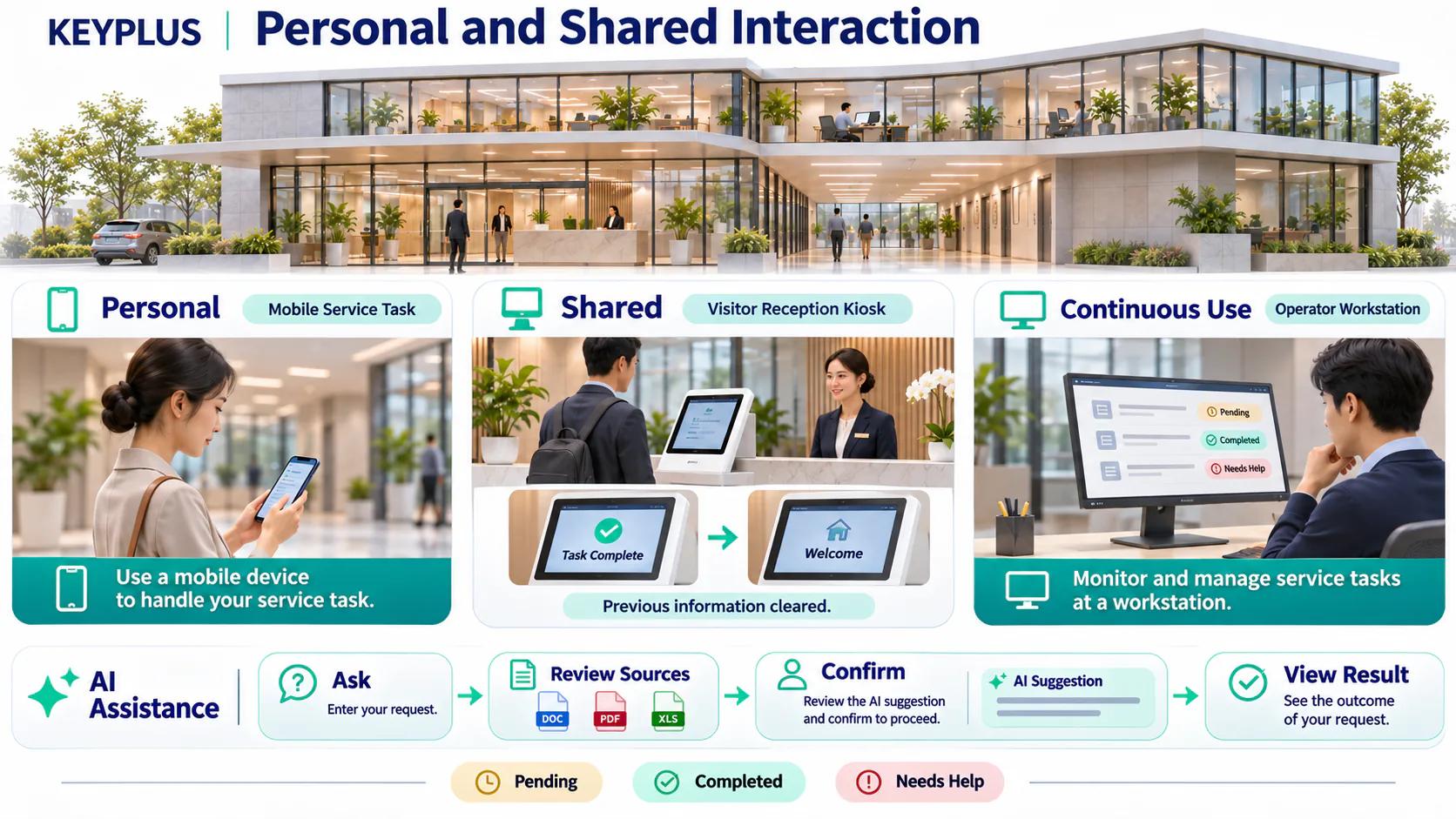
Personal and shared terminals provide access, room and space services with understandable temporary-permission information.
Mobile-work interfaces bring assigned tasks, relevant device context and approved controls together for staff whose attention is divided between the screen and the site.
Continuous-use workstations and displays organize event priority, evidence, acknowledgement, escalation and response around the operator’s work.
Configuration, oversight and performance views follow each role’s responsibility, with clear history and permission boundaries.
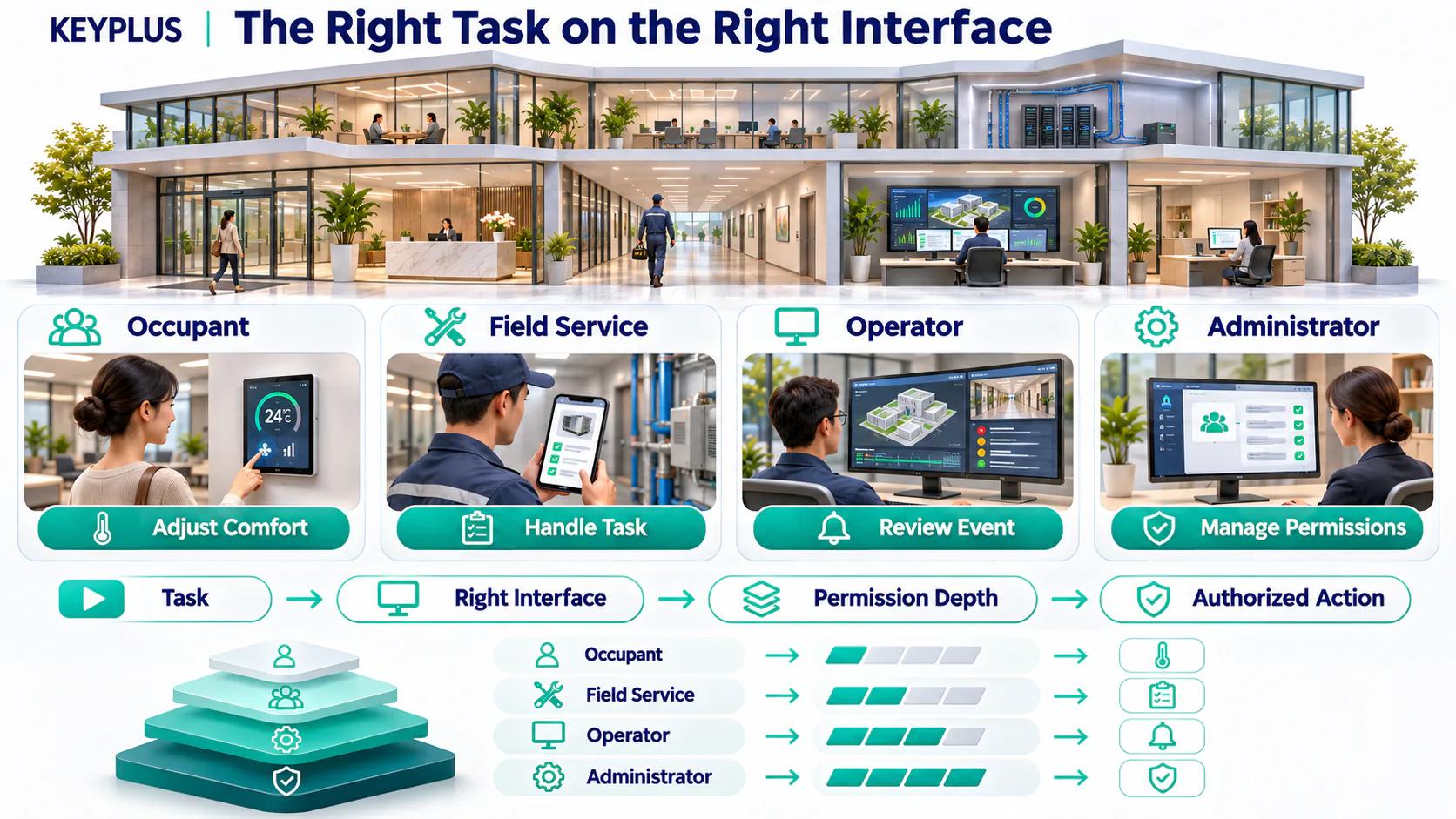
Native and web applications and responsive portals serve personal use; panels, readers, intercoms and kiosks support interactions at the space; workstations and command displays support operators. Selected conversational interfaces add another access route to information. Identity, sessions, accessibility, language, offline needs and device management shape the experience across those terminals.
Role-aware assistance brings approved search, event explanation and next-step preparation into natural-language interaction. Source evidence and clear status distinguish an AI-generated suggestion from an approval or an action already completed.
Clear status connects what the system observes with what has actually happened. Pending requests, analytical suggestions and completed actions have different meanings, with feedback that keeps the user oriented in the task.
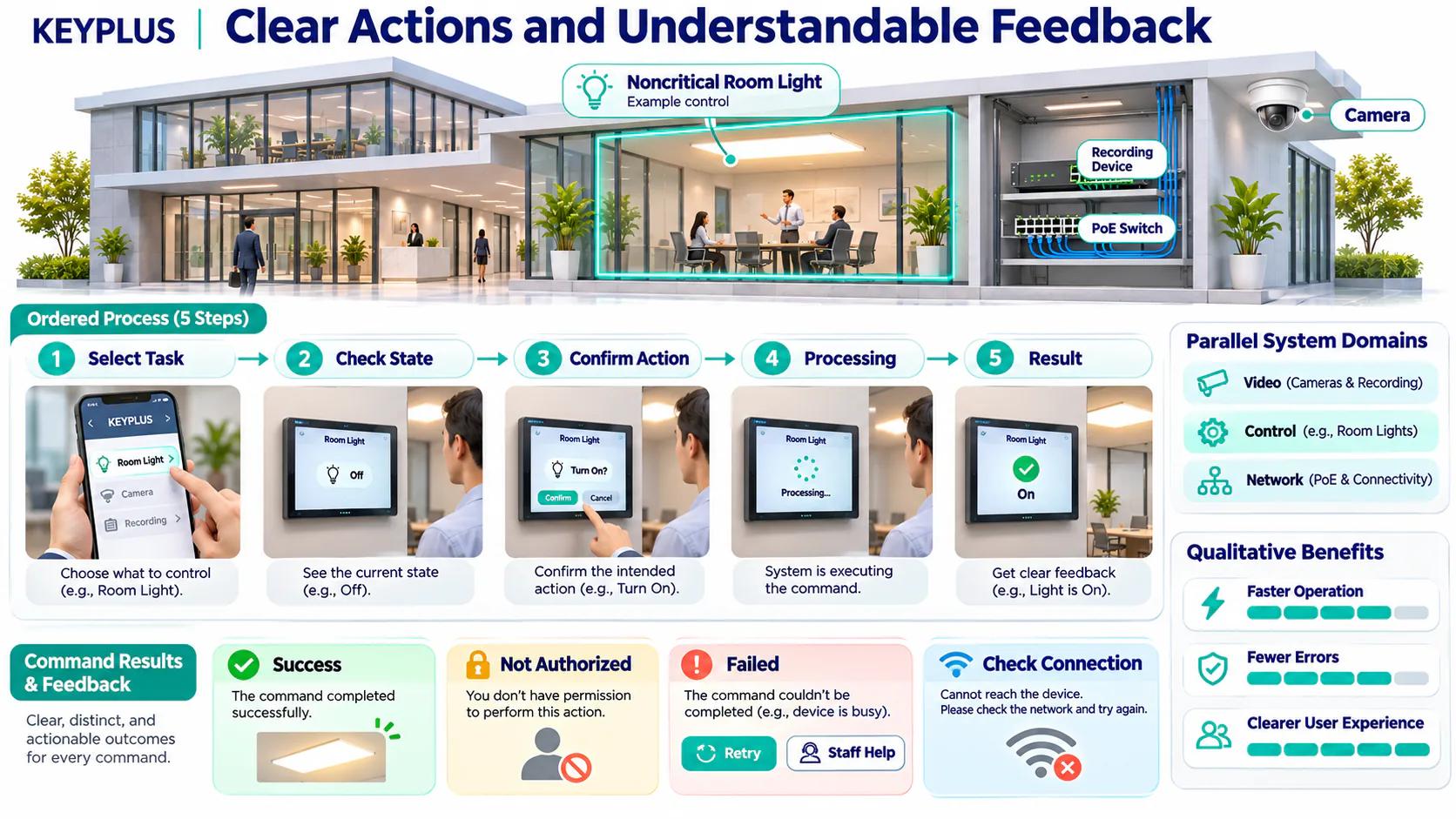
Interaction engineering connects user journeys, role permissions and terminal behaviour. Prototypes and commissioning bring response time, feedback, accessibility and error recovery into the experience, alongside clear confirmation for consequential actions.
Hoteles, apartamentos, campus, oficinas, comercios y hospitales necesitan diferentes experiencias para huéspedes, ocupantes, personal y operadores. Los terminales compartidos requieren privacidad adicional y controles de sesión.
Explore access and room terminals, operator workstations and selected AI assistance alongside the identity and integration boundaries behind each experience.
No. Personal, shared and operator terminals provide different ways to complete a task; a mobile app is only one of them.
Role-aware views can be planned when permission and data separation are validated.
No. Dependable visual status and controls remain available alongside conversational assistance.
No. Role and task boundaries shape each view, while status and completion keep a consistent meaning across the selected terminals.
The right interface makes a permitted task understandable at the point of use. Personal terminals, shared panels and operator workstations connect each role with its information and actions.